User guide › Core concepts
The shape of it
Most business software gives you fixed screens and hopes they match how you work. BackOffice goes the other way: you describe your data once, and the screens are generated from that description. Change the description, the screens change with it.
Everything nests like this:
| Concept | What it is | A familiar comparison |
|---|---|---|
| Workspace | One company’s whole account — its data, people and settings | A Slack workspace |
| App | An installable capability, like POS or Accounting | A plugin |
| Entity | One kind of thing you track — Customers, Invoices, Jobs | A spreadsheet tab / database table |
| Record | One of those things — a single customer | A row |
| Field | One piece of information on a record — Email, Amount | A column |
| View | One way of looking at an entity’s records | A saved filter / a board |
Workspace
A workspace is the outermost container. It holds your entities, your records, your team members, your installed apps and your settings. Data never leaks between workspaces — each one is stored separately.
You can belong to more than one. The switcher at the top-left of the sidebar shows every workspace you’re a member of, and swaps the whole app over when you pick one. People commonly have a real workspace plus a sandbox for experiments.
You’ll occasionally see the word tenant in admin screens — it means the same thing as workspace.
Entity
An entity is one kind of thing you keep track of. “Customers” is an entity. So is “Invoices”, “Job Orders”, “Products” or “Leave Requests”. If you’d naturally give it its own tab in a spreadsheet, it’s an entity.
Entities are where the power sits, because they’re not just storage — an entity carries its fields, its views, its automation rules, its permissions and its place in the sidebar all in one definition.
Some entities you create yourself. Others arrive already built when you install an app — installing POS gives you Products, Registers, Sales and Stock Movements without you designing anything.
Record & field
A record is one entry in an entity — one customer, one invoice. A field is one piece of information on it.
Fields are typed, and the type does real work. A currency field formats and totals as money. A date field can drive a calendar view. A relation field links this record to a record in another entity, so an Invoice can point at the Customer it belongs to. A formula field calculates itself from the others and never needs typing at all.
There are around two dozen field types; Entities & fields lists every one and when to reach for it.
View
A view is a way of looking at one entity’s records. The same Job Orders entity can be a spreadsheet-style table for the office, a drag-and-drop board for the workshop, and a calendar for scheduling — three views, one set of records underneath. Edit a record in one view and it changes everywhere, because there’s only ever one copy.
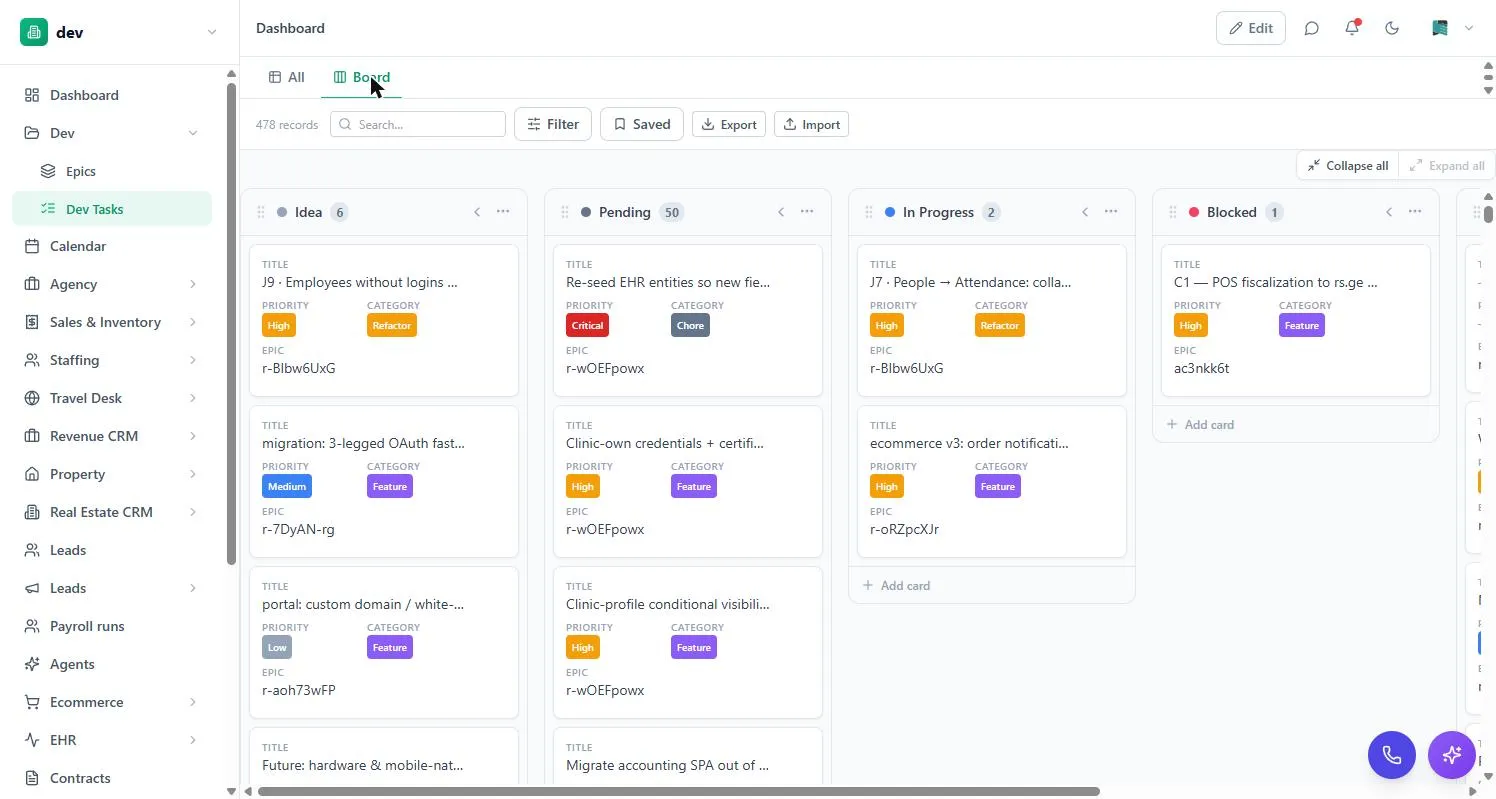
Views come in ten types — table, board, calendar, gallery, chart, timeline, form and a few specialised ones. Views & filters covers them all.
App
An app (you’ll also see them called modules) is a capability you install into a workspace. Some are pure data — a template that creates a set of entities and views for a particular business. Others bring real machinery with them: the POS app adds a register screen and stock movements, the Accounting app adds a ledger and journals, the Omnichannel Inbox app adds a shared inbox wired to messaging channels.
You only carry what you install. A workspace with just Customers and Invoices stays simple; the other three dozen apps aren’t in your sidebar until you ask for them. See the app directory.
Who can do what
Two different things control access, and it helps to keep them apart from the start:
- Entity permissions decide which records a person can see and change — “support can view all tickets but only edit their own”.
- Module access decides which apps a person can open at all, and which actions inside them they may run — “only supervisors can void a POS sale”.
Admins bypass both. Everything about this lives in Permissions & access.
Anything that changes the shape of the workspace — entities, fields, views, permissions, installed apps — happens under Settings and needs admin rights. Day-to-day record work doesn’t.